Modes & Contrast
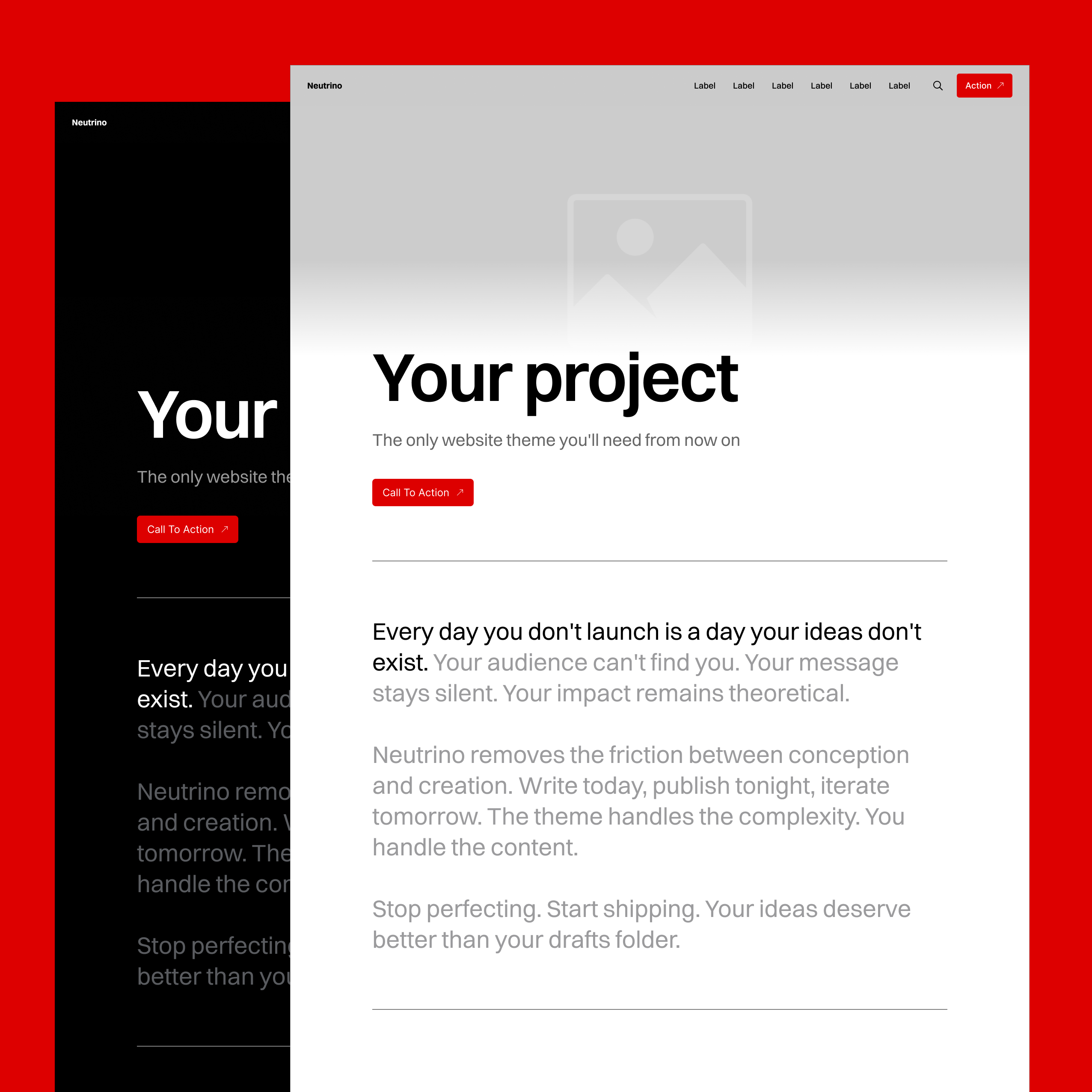
Four Display Modes
Text is more easily read as black characters on a white background. Colors look more vivid on a black background. Dark interfaces lose contrast during the daytime because of ambient light brightness. Light interfaces are harsh on the eyes during nighttime. Whether the site is black or white is also a big brand tone consideration.
Neutrino enables you to optimize your site for all the above factors with four distinct display modes:
Light Mode
Classic bright interface with dark text. Optimal for reading-heavy sites and professional publications.
Dark Mode
Inverted colors for reduced eye strain. Perfect for technical documentation, creative portfolios, and late-night readers.
Hybrid Mode
Dark hero section transitioning to light content area. Designed specifically for dark hero images that need white text overlay while maintaining readable body content. The hero gets dramatic treatment while articles stay comfortable to read.
System Mode
Automatically matches the user's device settings. Respects reader preferences without forcing a choice.
Page-Level Override
Neutrino enables you to override the global theme setting on a page- and post- level individually, depending on what works best in that specific instance.
A photography portfolio might use dark mode globally but switch to light mode for a client case study. A tech blog running in light mode can use dark mode for code-heavy tutorials. Content dictates presentation, not vice versa.
Automatic Contrast Intelligence
Navigation Adaptation
Neutrino automatically sets and inverts navigation links and logo (SVG) to ensure contrast against the hero image and page content.
The contrast system works in two stages:
- Hero section: Navigation text automatically switches between black and white based on the hero background. This uses a dominant color algorithm to detect brightness, with manual override available for edge cases.
- Scroll down: Once past the hero, navigation adapts to the current mode setting (light/dark/hybrid), ensuring continued legibility against the content background.
Example: Upload a dark hero image. Navigation turns white automatically. Scroll down to light content (in hybrid mode). Navigation turns black. Zero work needed for optimal results.
Header & Signup Blocks
Ghost provides basic text contrast for header blocks. Neutrino extends this:
- Headline and description text are set to black or white depending on the mode and block configuration.
- CTA buttons are set to black or white if the theme’s account color is set to black or white to achieve monochrome look.
- Gradient overlays are set to black or white depending on the dominant color/luminosity of the image.
- Background colors invert between modes (white becomes black, black becomes white).
- A subtle border is added to cards in case of black-on-black and white-on-white to define the shape.
Example: A signup block with a white background in light mode automatically changes to a black background in dark mode. The same block, same settings, perfect in both modes.
Edge Case Handling
Mixed Content Types
A single page might contain:
- Dark hero image (needs white text)
- Regular content (black on white preferred)
- Header block dark image (needs white text)
Each element responds independently while maintaining overall cohesion.
Why This Matters
For publishers: Upload content without worrying about visibility. The theme handles optimization.
For readers: Choose preferred reading mode. Every page respects that choice while remaining readable.
For brands: Maintain identity across all modes. No compromise between aesthetics and accessibility.